Performance
Every ad account, judged against what good looks like.
VEGA pulls your Meta, Google Ads and Google Analytics results into one dashboard, compares them with your targets, your own history and published benchmarks, and lists what to fix first.
How it works
Connected in a few minutes.
Connect
Sign in with Google or Meta from Settings → Integrations, or paste your own access token. Each person connects their own login; an admin can add a company-wide token.
Choose accounts
VEGA lists every ad account and Analytics property your login can see. Pick the ones to sync; map them to a client if you like.
Read the results
VEGA syncs up to 90 days of history, then updates every day. Each account opens on its own or together with the client it belongs to.
Act on them
Findings are ranked by severity. Ask the AI crew for an optimisation report that explains what to change and why.
The dashboard
One client, or any single account.
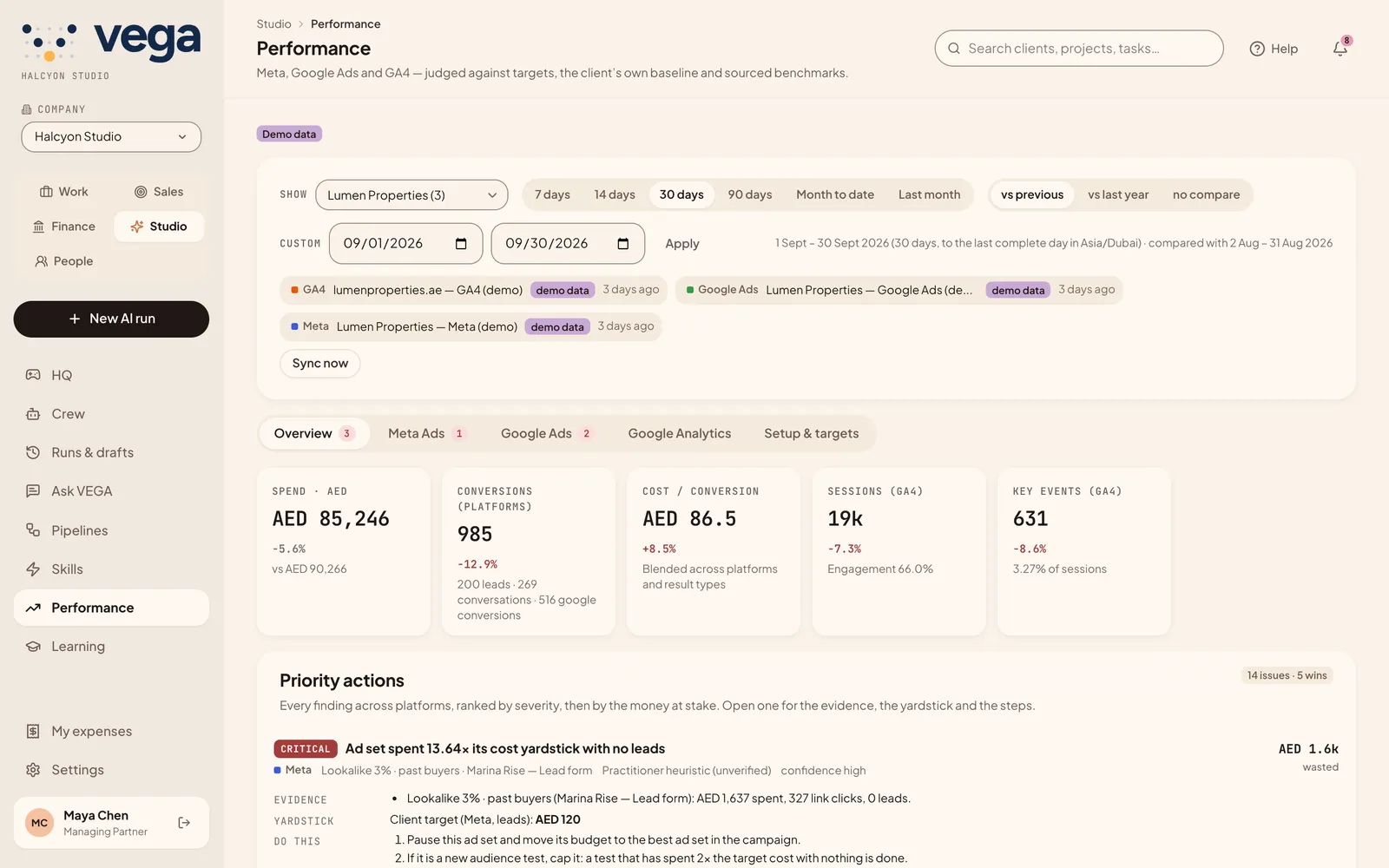 Meta, Google Ads and GA4 togetherRanked by severity and money at stake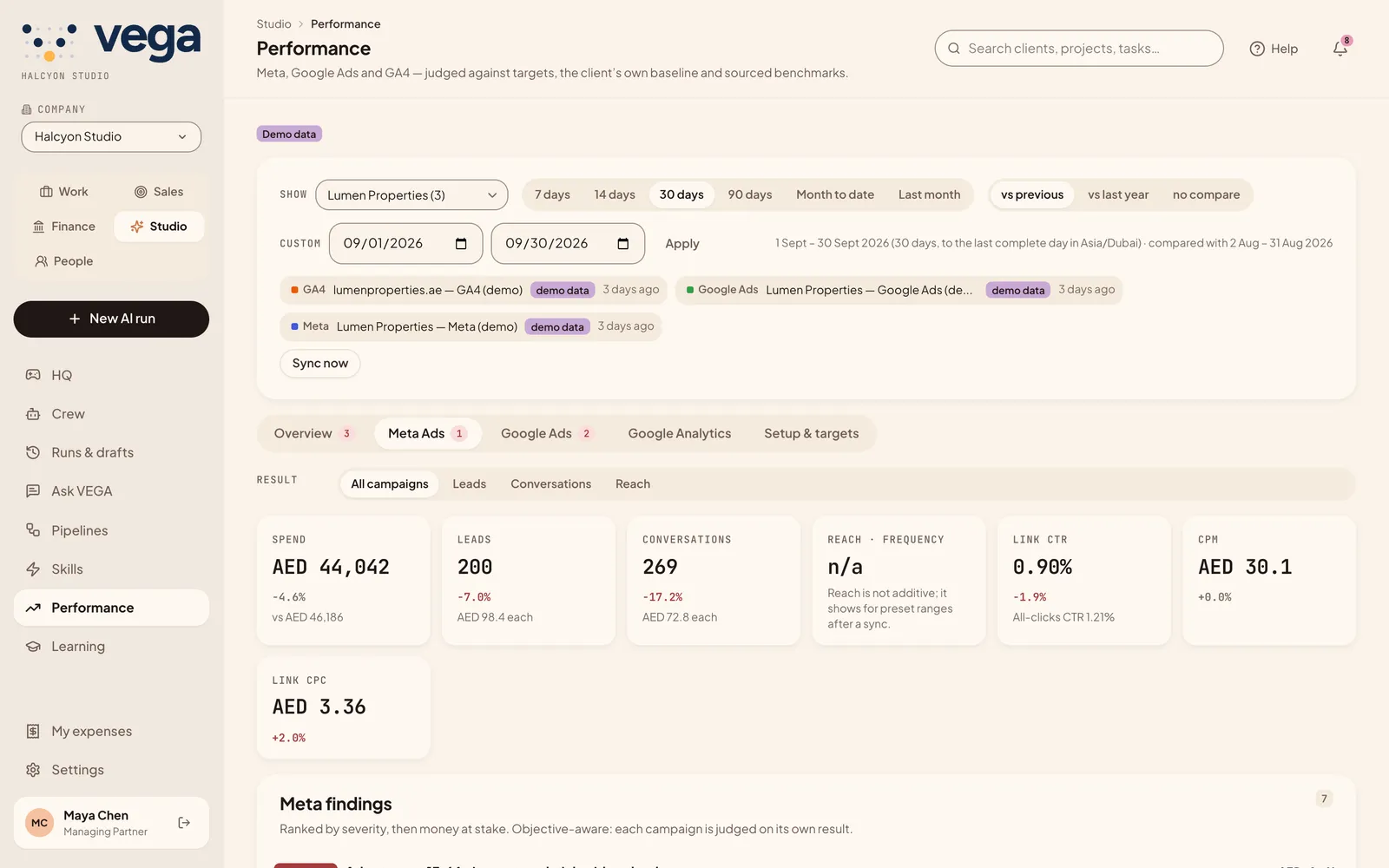
Meta, Google Ads and GA4 judged against your targets, with findings ranked by severity.
What VEGA reads
Read-only, platform by platform.
VEGA only reads. It never creates, pauses, edits or deletes anything in your ad accounts.
| Platform | What VEGA reads | What it is used for |
|---|---|---|
| Google Ads | Accounts, campaigns, ad groups, ads, asset groups, search terms and their metrics | Spend, results and cost per result against your targets |
| Google Analytics 4 | Report data for the properties you choose: sessions, users and key events | Traffic and key events next to ad spend, and tracking gaps |
| Meta (Facebook and Instagram) | Ad accounts, campaigns, ad sets, ads with their text and images, and insights | Delivery, cost and creative performance against your targets |
Your data
How VEGA uses your Google data
Connecting Google is optional. VEGA uses the access only to show your own results in your own Performance dashboard.
Read-only
No campaign, budget, ad or Analytics setting is ever created, changed or deleted.
Only for your company
Results are visible only inside your company’s VEGA space, to people whose role allows reports.
Never sold, never for ads
Google data is not sold, not used for advertising, not shared with other companies and not used to train AI models.
Remove it any time
Disconnect in Settings → Integrations, or at myaccount.google.com → Security → Third-party connections. To delete data already copied into VEGA, email us from the account owner’s address and we delete it within 30 days.
The permissions VEGA asks for
| Permission | Why VEGA needs it |
|---|---|
| Google Ads (adwords) | Read ad accounts, campaigns and their performance metrics. |
| Google Analytics, read-only (analytics.readonly) | Read Analytics reports for the properties you choose. |
| Your Google account (openid, email) | Know which Google account was connected. |
VEGA’s use and transfer to any other app of information received from Google APIs will adhere to the Google API Services User Data Policy, including the Limited Use requirements.
Questions
About Performance.
Can VEGA change my campaigns?
No. VEGA only reads data. It has no feature that creates, pauses or edits anything in Google Ads, Analytics or Meta.
Do I have to link accounts to a client?
No. Every account your login can see is available in the dashboard. Linking to a client adds that client’s targets and lets you see all its accounts together.
How far back does the data go?
The first sync brings in up to 90 days. After that VEGA updates every day.
How do I disconnect?
In VEGA, go to Settings → Integrations, open the connection and choose Disconnect. You can also tick the option to revoke access at Google or Meta at the same time.
Bring every ad account into one view.
Book a demo and we will help you connect your first accounts.